Widget
Context block settings
The Settings section offers several settings for the context block on the site:
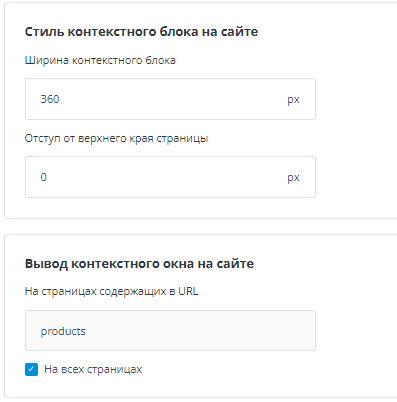
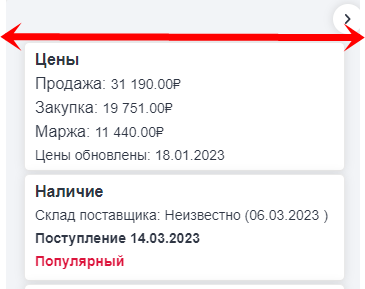
Context block width
This parameter sets, in pixels, the default width at which the context block opens on the site.
Offset from the top of the page
If needed, you can set an offset from the top edge of the site, for example, if that area contains information that is important to your employees.
Context block output
By default, the context block appears on all pages of the site. If needed, you can specify a URL mask, for example for product pages, so that the context block appears only on those pages.
Widget context menu
Right-click anywhere in the widget area to open the widget context menu.
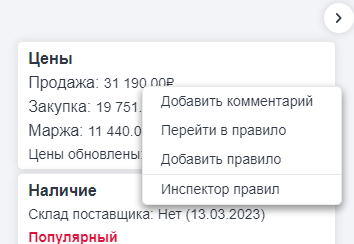
Add comment: lets you add a comment to a rule. For more about comments, see the Comments section of the Help.
Go to rule: quickly opens the rule edit page in the admin interface.
Add rule: opens the new rule page in the admin interface.
Rule inspector: opens a special mode window that helps you understand why a rule fired and what values a tag passed for a specific page. For more about using the rule inspector, see the Rule inspector section of the Help.
Working from different devices
By default, a Contexta user can use the service from only one device at a time. If the user signs in from another device, they are signed out on the first device. This means you can work on different devices, but not at the same time.