Payment
Pricing plans
Contexta offers 3 pricing plans:
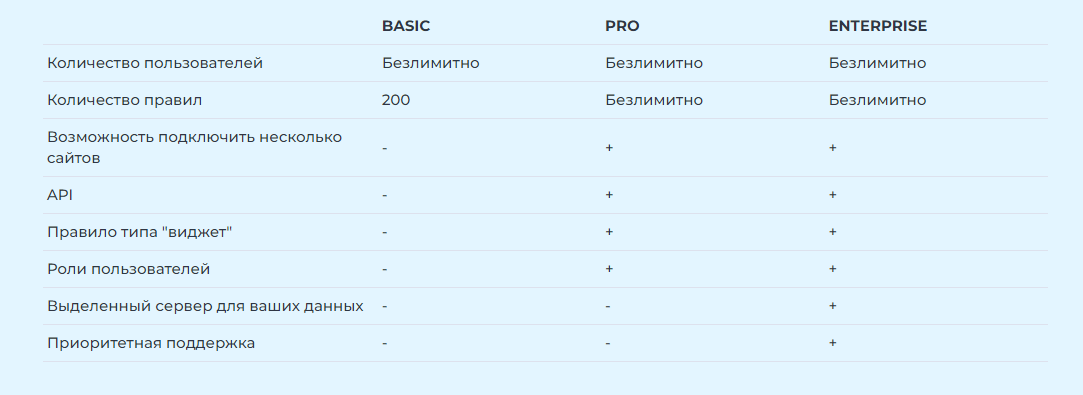
- Basic – a plan for small businesses with a small amount of business information. You can create up to 200 rules, without API access.
- Pro – the main plan, with an unlimited number of rules and API access.
- Enterprise – a plan for premium users, with a dedicated server for your data and priority technical support.
Plan options:
- Number of users – unlimited on every plan, because Contexta is paid for per user.
- Number of rules – the limit of 200 rules applies only to the Basic plan. The other plans have no limit.
- You can connect multiple sites starting from the Pro plan.
- API – lets you automatically retrieve information to display in the Contexta Widget on your site. Integrations are available with popular CRM systems, 1C, Moy Sklad and many others. Available starting from the Pro plan.
- Rule of the “widget” type – an interactive element of the Contexta Widget that lets you create buttons and other interactive elements. Available starting from the Pro plan.
- User roles – on the Basic plan, only the default roles are available: Administrator and User. On the Pro plan and above, you can create your own roles to control access to information more flexibly.
- Dedicated server – speeds up Contexta, including shorter Widget rendering time on your site’s pages, and provides maximum security for your data. Available on the Enterprise plan.
- Priority support – on the Enterprise plan, support is provided online, including by phone. On the lower plans, support is provided through a ticket system with a response within 24 hours.
How to top up your balance
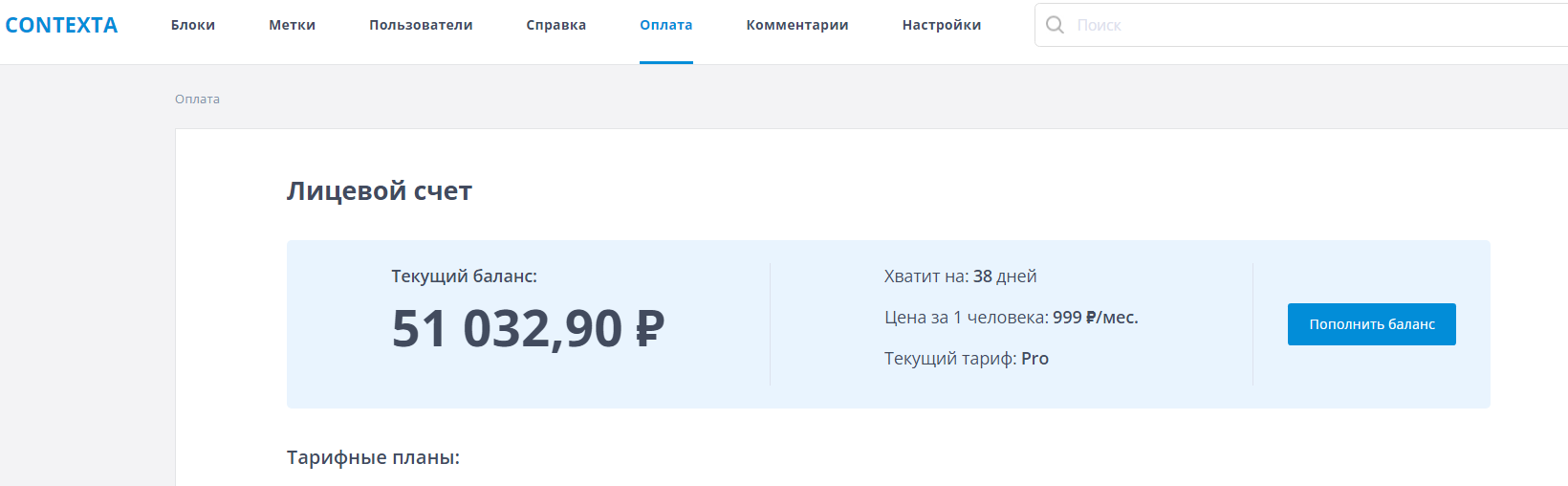
To top up your balance, go to the “Payment” section of the admin interface and click the “Top up balance” button.
What happens if my balance goes negative
The “Payment” page shows your current balance and the number of days it will last. When there are 3 days of funds left, the administrator receives an email reminder, and a reminder is also shown in the Widget on your site. When the balance runs out, Contexta keeps working “in the red” for 3 days, after which the Widget stops displaying information until you top up your balance.