Getting started
A short video about the installation process
Registration
To register a new project, go to – https://contexta.cloud/register
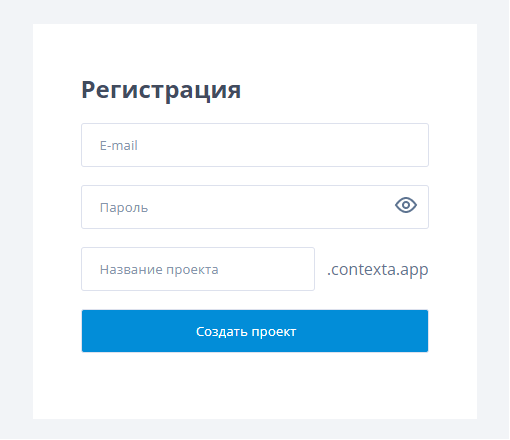
Enter your email address, choose a password and enter a project name.
Choose a meaningful project name, because the domain of the admin interface (such as project.contexta.cloud) is generated from it.
After you submit the form, an email to complete your registration is sent to the address you provided.
Adding the code to your site
To install the context block on your site, add the following line to the header of every page.
<script src=”https://contexta.cloud/script/common.js”></script>
Send this line to your site developers and they will help you install it. You can also add the script to your site as a tag using Google Tag Manager.
Creating users
Only the account administrator can create new users. To create a user, open the “Users” tab in the top menu and click “Add user”.
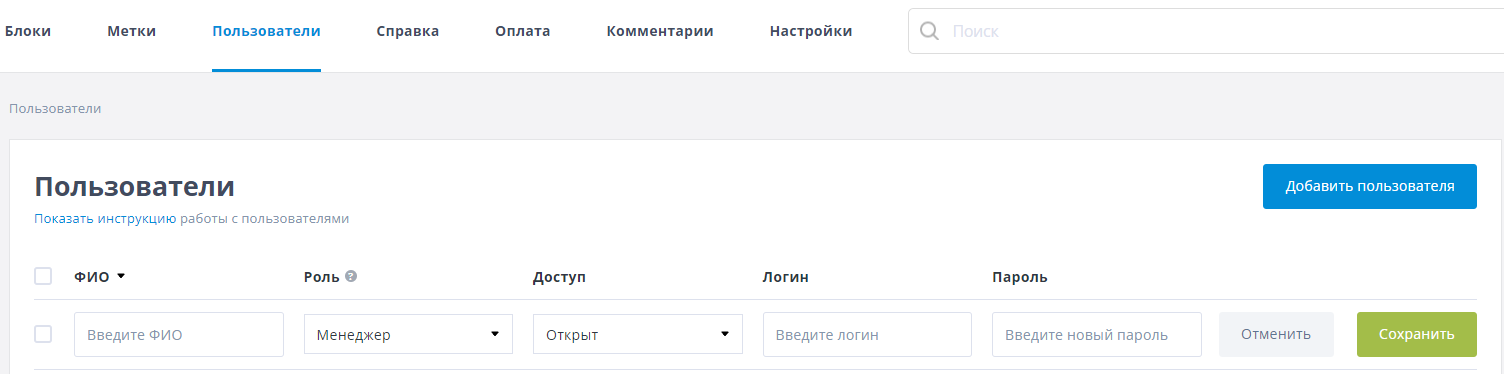
Fill in the following fields:
- Full name
- Role – the Basic plan offers the “Admin” and “User” roles. The Pro and Enterprise plans also let you create your own custom user roles
- Access – whether the account is active or inactive
- Login
- Password
That's it! Installation and user setup are complete, and you can now try creating your first rule.