Comments
What are comments
A comment is a note on a specific rule that any Contexta user can add directly from the widget context menu on your site. It might be information an employee learned and considered important enough to show in the Contexta widget. Comments go to a dedicated section of the admin interface, where an administrator can review them, adjust rule texts or conditions, and archive or delete the comment after reviewing it.
Managers can add comments to the text of a specific rule if they think it could be supplemented with important information. This helps you keep your information up to date, add important details in time, and remove outdated data.
A manager cannot change the text a rule displays (only an admin can), but they can suggest edits and additions to the existing text.
These suggestions appear in a separate section and look like this:
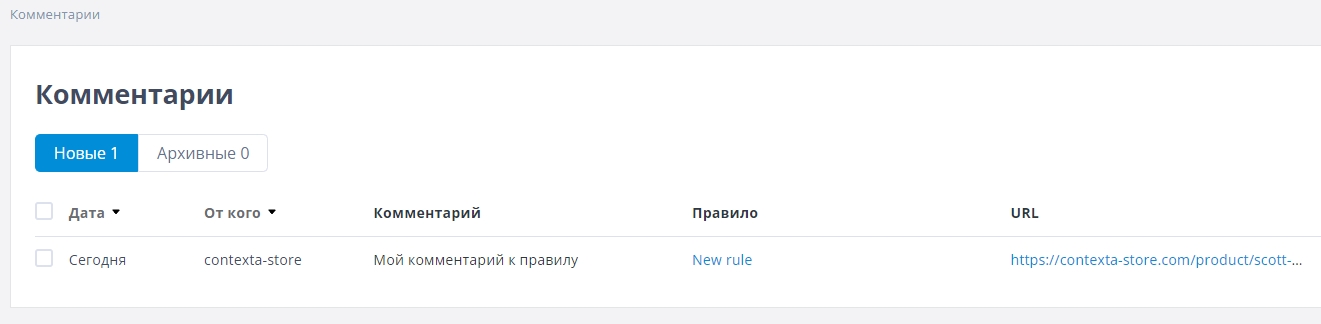
Hovering over a comment, an admin can either delete it or go to the corresponding rule and edit it based on the information the user provided.
Creating a comment
To create a comment, right-click a rule in the widget on your site and select “Add Comment”.
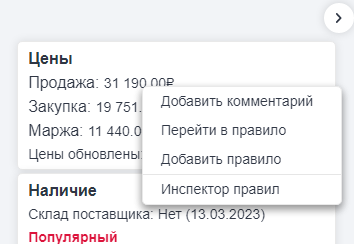
The comment form opens. Enter your text and click “Submit”. The administrator then receives an email notification, and the comment appears in the admin interface.
Working with comments
All comments go to the “Comments” section of the admin interface:
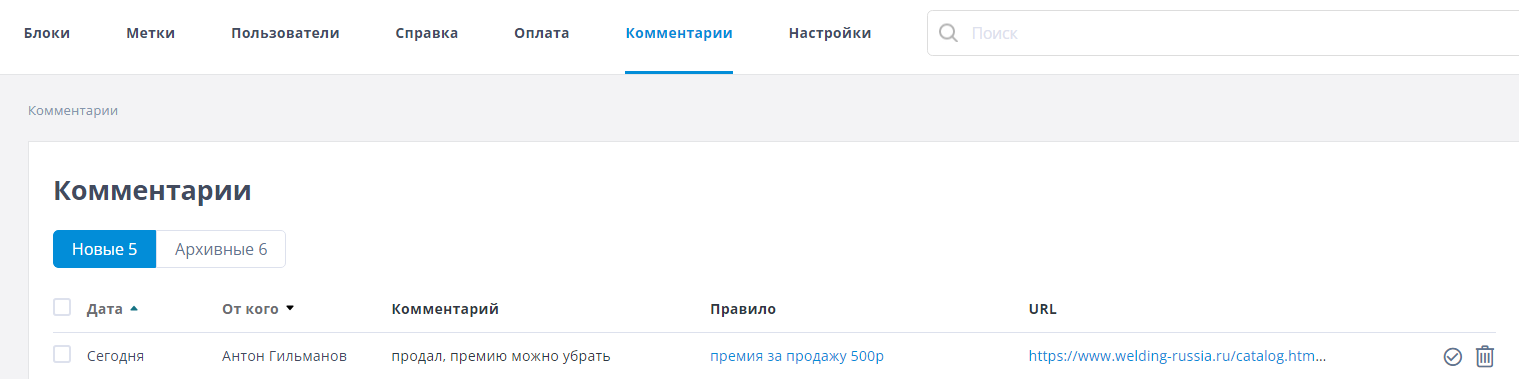
Comments are divided into two sections:
- New – comments waiting for an administrator's action
- Archived – comments the administrator has moved to the archive
For each comment you can see when it was added, its author, a link to the rule it was added to, and the page it was added on.
After reviewing a comment and, if needed, editing the rule, you can do one of two things with it: archive it by clicking the checkmark to the right of the comment, or delete it by clicking the trash icon.