API description
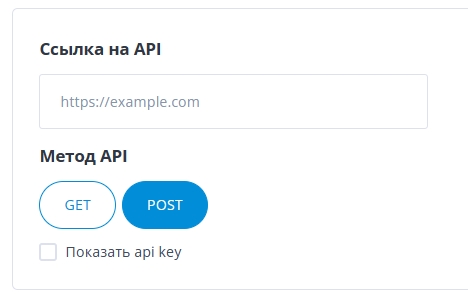
The “Settings” page has an “API link” item.
Enter the address of your own script there; the script will enrich the data with your internal information.
In general, it works like this:
- Contexta gets the list of tags and their values from the page.
- It builds a JSON object from them and sends it to the script at the address you specified in the settings.
- The script receives this data, queries your external systems and gets the missing information from them (for example, stock levels, purchase prices, etc.).
- It adds this data to the data it received from Contexta and returns everything back.
To Contexta, this data is no different from the data it gets from the page. That is, you can use it both in conditions and in rule texts.
Your script will receive data in this form:
{
    "Product.description": "My best product description",
    "Product.name": "My best product name",
    "product:price:amount": 580,
    "Product.image": "/public/shop/products/02/74/27402/images/5234/product.jpg",
    "Product.sku": "17037250",
    "Product.weight": "250 g",
    "title": "My product webpage title",
    "Date": "1664969954",
    "Day_of_week": 3,
    "Role": "00000000-0000-0000-0000-000000000001",
    "User": "47651974-0f68-4568-9927-0d3ed3b65a36",
    "User_email": "anyproject@it.com",
    "URL": "https://my-website.com/product-page/"
}
For example, based on “Product.sku” you query one of your internal databases and get the availability and purchase price from it. After you add this data to the request, it should look like this, and you return this data as the response:
{
    "Product.description": "My best product description",
    "Product.name": "My best product name",
    "product:price:amount": 580,
    "Product.image": "/public/shop/products/02/74/27402/images/5234/product.jpg",
    "Product.sku": "17037250",
    "Product.weight": "250 g",
    "title": "My product webpage title",
    "Date": "1664969954",
    "Day_of_week": 3,
    "Role": "00000000-0000-0000-0000-000000000001",
    "User": "47651974-0f68-4568-9927-0d3ed3b65a36",
    "User_email": "anyproject@it.com",
    "URL": "https://my-website.com/product-page/",
    "Availability": true,
    "prime_cost": 350
}
Request authorization
Contexta recognizes that a response comes from an authorized source by the x-contexta-key header in the response.
It must contain the API key, which you can get from the “Settings” section. Select the “Show API key” checkbox.